
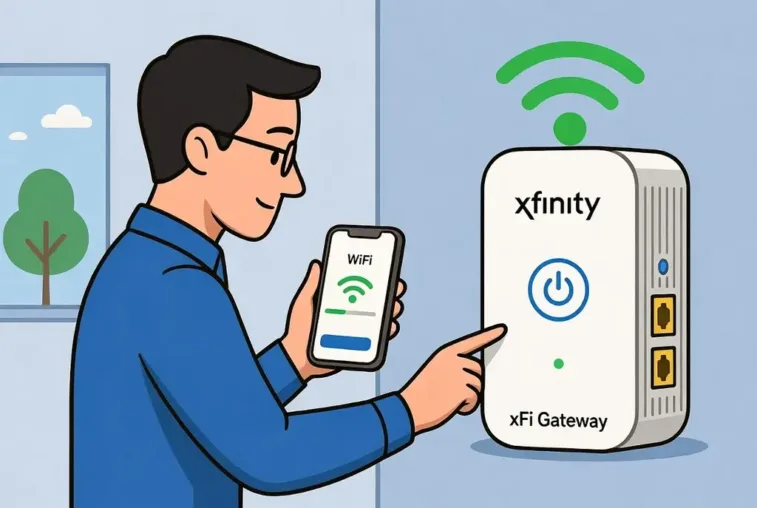
Learn how to set up Xfinity WiFi internet box (2026) & get your home network running fast. Step-by-step guide for a quick, seamless installation.
2026 Complete Guide: How to Set up Xfinity WiFi internet box
Learn how to set up Xfinity WiFi internet box in 2026. Quick steps for a seamless connection. Get started now!
Here is your 2026 Complete Guide to setting up Xfinity WiFi internet boxes (xFi Gateways).
Overview: xFi Gateway Models (2026)
How to Set up Xfinity WiFi internet; Xfinity currently distributes several gateway models. Your setup process depends on which device you received:
| Model | WiFi Standard | Max Speed | Key Features | Activation Method |
|---|---|---|---|---|
| XB10 (Advanced Gateway) | WiFi 7 | 10 Gbps | DOCSIS 4.0, 2× 10GbE ports | Xfinity app |
| XB8 | WiFi 6E | 2.5 Gbps | Tri-band, multi-gig capable | Xfinity app |
| XB7 | WiFi 6E | 2.5 Gbps | Tri-band, 4× GbE ports | Xfinity app |
| XB6 | WiFi 5 | 1 Gbps | Dual-band | Xfinity app or web |
| XB3 (Wireless Gateway) | WiFi 5 | 600 Mbps | Older model | Xfinity app or web |
Source: Xfinity Gateway Specifications 2025
Method 1: Xfinity App Setup (Recommended – 2026 Standard)
This is the primary activation method for all XB6, XB7, XB8, and XB10 gateways.
Prerequisites
- Xfinity app downloaded (iOS/Android)
- Xfinity ID and password
- Self-install kit received or equipment purchased
- Active coaxial cable outlet in your home
Step-by-Step Process
Step 1: Download the Xfinity App
- iOS: App Store → “Xfinity”
- Android: Google Play → “Xfinity”
- Or scan QR code on your gateway box
Step 2: Physical Connection
- Choose location: Central, open area; elevated 3+ feet off floor; away from walls/metal objects
- Connect coax cable: Screw one end into gateway’s “Cable In/RF In” port; other end into wall outlet (finger-tight)
- Connect power: Plug power cord into gateway and electrical outlet
Step 3: Wait for Boot (Critical)
- ~5 minutes for full initialization
- Lights will cycle through: Off → Blinking → Solid
- XB10/XB8/XB7: Wait for steady white or white-purple light
Step 4: App Activation
- Open Xfinity app → Sign in with Xfinity ID
- Select “Get Started” or “Activate xFi Gateway”
- Scan QR code on gateway (bottom/side) or manually enter CM MAC/SSID
- Name your WiFi network (customize from default)
- Set password (minimum security requirements)
- Wait for “Activation Complete” confirmation
Total Time: 15–30 minutes
Post-Setup Features Available:
- Advanced Security (auto-enabled)
- Parental controls
- Device management
- WiFi scheduling
Method 2: Web Browser Setup (No App Required)
For users without smartphone access or XB3/XF3 fiber gateways.
Steps
- Complete physical connection (coax + power) as above
- Wait for solid online light (approximately 5 minutes)
- Connect computer to gateway via Ethernet cable OR connect to default WiFi (SSID: Home-XXXX or XFSETUP-XXXX, password on gateway sticker)
- Open browser → Navigate to:
http://10.0.0.1(Gateway Admin Tool) ORhttps://xfinity.com/activate(Official activation page)
- Follow on-screen prompts:
- Enter Xfinity credentials OR account number + phone number
- Customize network name and password
- Complete activation
Note: XB7+ models require Xfinity app toggle to enable Gateway Admin Tool access
Method 3: Phone Activation (Fallback)
If app/web methods fail:
- Call automated line: 1-855-652-3446 (Self-install device activation)
- Have ready:
- RF/CM MAC address (on gateway sticker)
- Serial number
- Xfinity account number
- Follow voice prompts to provision device
Critical 2026 Configuration: Gateway Placement
How to Set up Xfinity WiFi internet – Configuration
DO’s (Optimal Performance)
- Central location in home (living room, central hallway)
- Elevated: 3+ feet off floor (shelf, desk, wall mount)
- Open space: Away from cabinets, closets, furniture
- Vertical orientation: Most gateways designed for upright placement
DON’Ts (Signal Killers)
- ❌ Inside cabinets or closets
- ❌ On floor or directly against walls
- ❌ Near electronics (microwave, baby monitors, Bluetooth speakers)
- ❌ Next to windows or mirrors (reflection interference)
- ❌ Near aquariums or water features
Range Tip: XB10 WiFi 7 and XB8/XB7 6E models provide best coverage; XB6 and older may need Xfinity Pro WiFi Extenders in homes 2,000+ sq ft
Troubleshooting: 2026 Solutions
How to Set up Xfinity WiFi internet – Troubleshooting
Light Status Meanings
| Light Color | Status | Meaning | Action |
|---|---|---|---|
| ⚪ Solid White/White-Purple | ✅ Online | Fully operational | None needed |
| ⚪ Blinking White | ⏳ Booting | Power on, not yet ready | Wait 5-10 minutes |
| 🔴 Solid Red | ❌ Offline | No internet connection | Check coax connection; restart |
| 🔵 Blinking Blue | 📡 Pairing | WPS mode or connecting device | Normal during device setup |
Common Issues & Fixes
Issue: “Cannot activate gateway” error in app
- Fix: Ensure phone is on cellular data (not trying to connect to unactivated WiFi) during setup
- Alternative: Use web activation at
xfinity.com/activate
Issue: Slow speeds after activation
- Fix:
- Restart gateway via app (Internet → Restart Modem)
- Check for outages at xfinity.com/status
- Verify device connected to 5GHz (not 2.4GHz) band for speed
Issue: Xfinity app won’t scan QR code
- Fix: Manually enter CM MAC address (12-character code on gateway sticker)
Issue: Blinking light won’t go solid after 20 minutes
- Fix:
- Check coax connection is finger-tight
- Verify wall outlet is active (test with another device or try different outlet)
- If new construction, may require technician visit
Advanced Setup: Post-Activation Optimization
Access Gateway Admin Tool (XB6 and newer)
- Connect to your activated WiFi
- Browser →
http://10.0.0.1 - Login: admin / password (or custom if changed)
- XB7+: Must enable via Xfinity app first (More → Gateway Admin Tool)
Enable Advanced Features via App
- Advanced Security: Automatically blocks malicious sites (enabled by default)
- Parental Controls: Set safe browsing, time limits, device pause
- WiFi Boost: Prioritize specific devices for gaming/streaming
- Xfinity Pro: Add Storm Ready WiFi Extender for power-outage backup
Professional Installation vs. Self-Install (2026 Decision Guide)
| Scenario | Recommendation |
|---|---|
| Active Xfinity service at address within 1 year | ✅ Self-install kit ($14.99 shipping, sometimes free) |
| Brand new construction/no previous service | ❌ Pro install required |
| Complex setup (4+ devices, whole-home wiring) | ❌ Pro install recommended |
| Non-technical user, prefers guaranteed setup | ❌ Pro install ($100-$150) |
| Need service moved to different room | ❌ Pro install required |
Self-Install Timeline: Activate within 7 days of equipment receipt (immediate for Xfinity Voice with ported numbers)
2026 Checklist Summary
Before You Start:
- [ ] Xfinity app downloaded and Xfinity ID created
- [ ] Self-install kit unboxed (gateway, coax cable, power cord)
- [ ] Optimal location identified (central, elevated, open)
Physical Setup:
- [ ] Coax cable finger-tight to gateway and wall
- [ ] Power cord connected to outlet
- [ ] 5-minute boot time observed (wait for solid light)
Activation:
- [ ] Phone on cellular data (not WiFi)
- [ ] QR code scanned or MAC entered
- [ ] Custom network name and password set
- [ ] “Activation Complete” confirmed in app
Post-Setup:
- [ ] Devices connected to new WiFi
- [ ] Speed test conducted (xfinity.com/speedtest)
- [ ] Advanced Security verified enabled
- [ ] Xfinity app installed on all household management devices
Support Contacts:
- 24/7 Support: Xfinity app chat or xfinity.com/support
- Activation Help: 1-855-652-3446
- General Service: 1-800-COMCAST
- Multilingual: 1-855-955-2212 (Chinese, Korean, Vietnamese, Tagalog)