
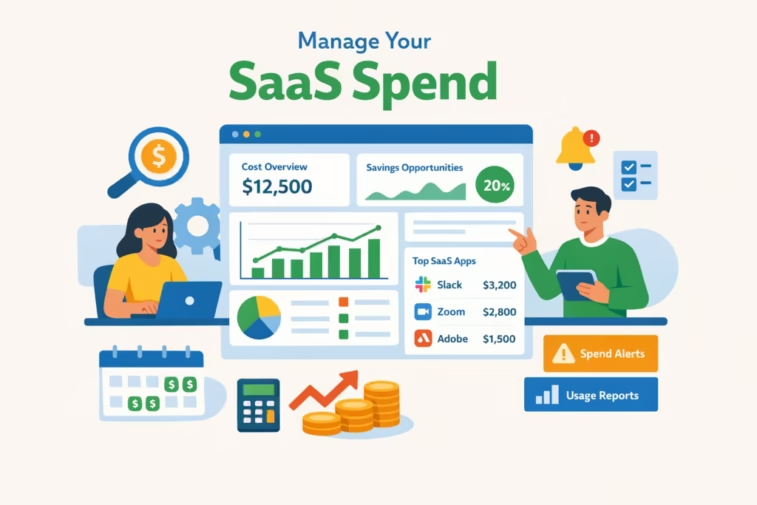
Discover the ultimate guide to manage SaaS spend software tools in 2026. Learn how to track, optimize, and reduce SaaS expenses with the best tools, features, pricing, and proven strategies for cost control.
Manage SaaS Spend Software and Tool Ultimate Guide 2026
📋 Here’s the bottom line:
The best way to Manage SaaS Spend Software in 2026 is to use a SaaS Management/Spend Management platform (SMP) that gives you a full inventory of apps, per‑employee usage data, and automated workflows for procurement and renewals—then run a continuous, data‑driven optimization program across Finance, Procurement, and IT. This guide walks you through why, what, and how.
High‑level SaaS spend management lifecycle

1. Why SaaS spend management is critical in 2026
SaaS is now one of the largest operational expense categories and it’s getting harder to control:
- Spend is rising: Zylo’s 2025 SaaS Management Index shows average SaaS spending grew 9.3% YoY in 2024 (the first increase since 2021); the average company now spends about $49M per year (~$4,830/employee) on 275 apps. Gartner forecasts global SaaS spend to reach $299B in 2025 (+19.2% YoY).
- Pricing is shifting upward: SaaS vendors, facing slower growth, are pushing premium add‑ons, AI features, and new consumption/credit‑based models that drive prices higher and make forecasting harder.
- Waste is common: Zylo’s data notes organizations often underestimate their SaaS spend by ~3x and that ~46% of licenses go unused over 30 days—easily tens of millions in wasted spend per year.
- AI spend is exploding: AI‑native tool spending grew ~75% YoY; ChatGPT jumped to the #2 most expensed app, and hybrid/AI‑enabled vendors are increasingly using credit‑based pricing that obscures true costs.
- Shadow IT persists: Nearly 60% of IT leaders still worry about shadow IT; on average, ~3.4% of employees expense SaaS on their own, creating security and cost risks.
Without a dedicated tool and process, you overpay, auto‑renew bad deals, and lose visibility into what actually drives value.
2. What a SaaS spend management tool actually does
At a minimum, a Manage SaaS Spend Software and tool should:
- Discover and inventory SaaS:
- Automatically detect SaaS apps via financial data (ERP/expense), identity providers (SSO), integrations (e.g., Google Workspace, Microsoft 365), and network/endpoint telemetry.
- Capture IT‑sanctioned and shadow IT apps in one place.
- Normalize spend and contracts:
- Ingest invoices, contracts, and billing data to build a unified view of costs, plans, and terms.
- Track usage and licenses:
- Pull login/activity data to see who’s using what, how often, and which licenses are idle.
- Manage renewals and procurement:
- Centralize renewal calendars, trigger workflows for reviews and approvals, and enforce purchasing policies (e.g., software requests through a portal).
- Provide analytics and benchmarks:
- Show spend per app, per employee, per department; identify redundant or low‑value tools; benchmark pricing against market data.
- Support governance and security:
- Highlight orphaned accounts, excessive access, and non‑compliant apps; integrate with identity governance to automate offboarding.
- Allocate and forecast:
- Map spend to cost centers/business units to improve budgeting and forecasting accuracy.
Manage SaaS Spend Software; Zylo’s 2026 buyer guide summarizes the key capabilities to evaluate: discovery/inventory, usage & cost analytics, contract & renewal management, alerts & forecasting, cost allocation, pricing benchmarks, and security/compliance visibility.
3. Types of SaaS spend management tools (and examples)
Different tools emphasize different parts of the lifecycle. In practice, many mid‑to‑large companies combine more than one:
- SaaS Management Platforms (SMPs) – discovery, usage, and renewal management:
- Zylo – discovery, usage analytics, renewal & spend workflows, and AI cost management.
- Zluri – discovery, workflows for procurement/renewals, and SaaS operations.
- Josys, Cledar (less widely cited), and others also compete in this segment.
- SaaS Procurement & Spend Optimization platforms – intake, negotiations, and vendor management:
- Vendr – guided sourcing, negotiations, and renewal management for SaaS and contracts.
- Spendflo – AI‑powered procurement platform with intake‑to‑procure workflows, PO management, and usage analytics.
- CloudEagle – SaaS spend optimization and procurement workflows.
- Tropic – spend intelligence, price benchmarks, and renewal/negotiation workflows with strong AI analytics.
- IT Automation & SaaS Operations platforms – govern SaaS within SSO/ productivity suites:
- BetterCloud – automates user lifecycle, security, and SaaS cost controls for Google Workspace & Microsoft 365.
- Identity Governance & Access (IGA) platforms with SaaS visibility:
- Torii – combines SaaS discovery, usage analytics, and identity/access governance.
- Lumos – identity governance that also exposes app usage and spend for cost management.
- IT Asset Management (ITAM) / SAM platforms with SaaS modules:
- Flexera One SaaS Management, ServiceNow SAM Pro – extend traditional SAM into SaaS, tying it to broader IT asset management.
- AI and SaaS Visibility platforms:
- Productiv – provides deep visibility into SaaS usage and value, with an emphasis on analytics and benchmarking.
BetterCloud’s 2025 State of SaaS report finds 70% of IT pros prefer a unified platform to discover, manage, secure, and optimize SaaS rather than juggling multiple point solutions.
4. How to choose the right tool for your organization
Use a structured selection process rather than starting with a demo.
a) Define your primary goals and scope
- Cost optimization vs. governance: Are you mainly trying to cut waste, or do you also need strong compliance, offboarding, and security control?
- Stage of maturity:
- Early stage: You don’t even know how many apps you have. Prioritize broad discovery and inventory.
- Mid stage: You know the apps but want to cut unused licenses and improve renewals. Prioritize usage analytics and renewal workflows.
- Advanced: You want forecasting, benchmarking, and AI‑driven insights. Prioritize advanced analytics, benchmarks, and negotiation support.
- Scale: Larger enterprises often need deeper ERP/HRIS/SSO integrations and role‑based access; smaller companies may prioritize fast time‑to‑value and ease of use.
b) Assemble the right buying team
Include stakeholders from:
- Finance (budget owners, FP&A, controllership)
- Procurement / Sourcing
- IT / IT Operations
- Security & Compliance
- Business unit leads (who buy and use the tools)
Zylo’s 2026 guide recommends involving these personas early to ensure the tool meets both process and reporting needs across the organization.
c) Evaluate against core capabilities
When comparing tools, score them against:
- Discovery breadth: financial + SSO + integration sources to find shadow IT.
- Data quality: can it accurately match contracts, invoices, and usage to the same app and license tiers?
- Renewal workflows: reminders, approval workflows, and deal rooms to prepare for renewals.
- Procurement workflows: intake forms, approval gates, and POs before new tools are bought.
- Analytics: per‑app, per‑user, per‑department spend and usage; drill‑down and filtering.
- Benchmarking: access to market pricing data and negotiation playbooks.
- Security/compliance: offboarding automation, orphaned account detection, and policy enforcement.
- Integrations: ERP/Accounting, HRIS, SSO (Okta/Azure/Google), and card providers (for full spend visibility).
- AI & automation: anomaly detection (spend spikes, sudden usage), auto‑suggested optimizations, and intelligent renewal alerts.
d) Run a focused proof‑of‑concept (POC)
- Ask for a pilot focused on a subset of apps or a single business unit.
- Validate:
- How many apps it discovers compared to what you knew.
- How accurately it matches spend and usage.
- How easy it is to implement and use for Finance, IT, and requesters.
- The time and effort required to maintain accurate data.
5. Implementing a SaaS spend management tool: step‑by‑step
Step 1 – Connect data sources for a “ground truth”
- Connect:
- Financial: ERP, accounting system, expense/card feeds.
- Identity: SSO (Okta, Entra ID, Google), HRIS.
- Productivity: Google Workspace, Microsoft 365, and other key directories.
- Reason: Zylo and others emphasize you must have visibility and a “ground truth” inventory before you can manage SaaS effectively.
Step 2 – Normalize and deduplicate
- Consolidate multiple names for the same app (e.g., “Slack,” “Slack Technologies,” “SFDC” vs “Salesforce”).
- Ensure each app has one record with linked contracts, invoices, and usage metrics.
Step 3 – Classify apps and allocate costs
- Classify by:
- Category: Collaboration, CRM, DevOps, Marketing, HR, etc.
- Criticality: Mission‑critical, important, optional, redundant.
- Owner: Business unit and application owner.
- Allocate spend to cost centers and departments so budgets reflect real usage.
Step 4 – Analyze usage vs. spend to find waste
- Identify:
- Unused or underused licenses and seats.
- Redundant apps with overlapping functionality (e.g., multiple collaboration tools).
- Tier mismatches: paying for premium plans when most users only need basic features.
- Actions:
- Downgrade or remove unneeded licenses.
- Consolidate to a smaller set of tools per capability.
- Renegotiate pricing and terms based on actual usage.
Step 5 – Design and enforce procurement and renewal workflows
- Implement:
- Request‑to‑procure workflows in the tool so all new SaaS requests route through Finance/IT.
- Renewal playbooks with tasks (e.g., 90/60/30‑day checklists) and data packets for negotiation (usage data, benchmark pricing).
- Approval thresholds by spend and risk level.
Step 6 – Automate governance and offboarding
- Create policies:
- Automatically remove or deprovision access when employees leave or change roles.
- Flag new apps that aren’t in the catalog for review.
- Configure automated workflows for offboarding to avoid “zombie” licenses and accounts.
Step 7 – Track and report ROI
- Track:
- Savings from renegotiations and consolidations.
- Reduction in unused licenses.
- Number of renewals managed with workflow vs. manually.
- Report monthly/quarterly to leadership on:
- Total SaaS spend and trend vs. budget.
- Spend per employee.
- Top cost centers and apps.
- Shadow IT reduction and security improvements.
6. Best practices for ongoing SaaS spend optimization
Drawing on Zylo’s and CloudBolt’s guidance, here are proven practices that work in 2026:
- Build and maintain a complete, continuously updated SaaS inventory
- Continuously ingest financial, identity, and integration data so your inventory self‑corrects.
- Treat shadow IT discovery as an ongoing, not one‑time, activity.
- Regularly audit for unused and underutilized licenses
- Monthly/quarterly reviews of tools where >20–30% of licenses are inactive.
- Right‑size plans (e.g., move occasional users to per‑use or lower tiers).
- Rationalize redundant applications
- Identify functional overlaps (e.g., multiple project management or collaboration tools).
- Work with business owners to consolidate to standard tools, leveraging volume for better pricing.
- Anchor renewals in usage data and benchmarks
- For every renewal, prepare:
- Usage metrics (active users, feature adoption).
- Internal value realized.
- External benchmarks from your spend management tool or third‑party data.
- Use this data to negotiate price uplifts down and push back on “AI taxes” and consumption‑based pricing that doesn’t reflect value.
- Govern the buying process with clear policies
- Require all SaaS purchases above a threshold to go through the platform.
- Define policies for:
- Preferred tools by category.
- Maximum contract durations without review.
- Required data security/privacy reviews.
- Integrate SaaS spend management with FinOps and planning
- Feed SaaS spend and forecast data into your FP&A and FinOps processes.
- Use cost allocation and chargeback to make business owners accountable for their SaaS choices.
- Manage AI and consumption‑based spend explicitly
- Track AI‑native and AI‑enabled tools in their own categories.
- Set budgets and alerts for credit‑based/consumption pricing.
- Negotiate clarity on how consumption is measured and capped.
7. KPIs to measure success
Track these to show value:
- Financial KPIs:
- Total SaaS spend and spend per employee (trend vs. budget).
- % of spend under management (in the tool vs. estimated total).
- Savings from optimizations (downgrades, cancellations, consolidations, better pricing).
- Renewal negotiation outcomes (uplifts avoided, discounts secured).
- Usage & utilization KPIs:
- % of licenses with no activity in 30/60/90 days.
- Number of redundant apps reduced.
- Process & governance KPIs:
- % of new SaaS purchases flowing through governed workflows.
- % of renewals managed with 30+ days’ lead time.
- Time to offboard users from SaaS apps after termination.
- Risk & security KPIs:
- Number of orphaned accounts detected and remediated.
- Number of unapproved apps discovered and either sanctioned or removed.
8. Practical templates and playbooks you can implement
- Monthly savings pipeline: Run a monthly report in your tool that lists:
- Apps with >20% inactive licenses.
- Upcoming renewals with usage data and benchmark pricing.
- Apps with overlapping functionality and potential consolidation opportunities.
- Renewal playbooks: Create a standard template for each major renewal:
- 90 days: gather usage data, assign owner, define goals.
- 60 days: evaluate alternatives, prepare benchmark data.
- 30 days: negotiate terms and price, finalize decision.
- Procurement policy checklist: Require requesters to document:
- Business case and expected ROI.
- Security/compliance review.
- Whether an existing tool can fulfill the need.
9. How to get started quickly (90‑day plan)
- Days 0–30:
- Select a SaaS spend management platform aligned with your goals.
- Connect financial, SSO, HRIS, and productivity suite data.
- Build initial inventory and classify the top 50–100 apps by spend.
- Days 31–60:
- Roll out procurement/renewal workflows for high‑spend categories.
- Run your first unused license and redundancy audit; capture initial quick wins.
- Present baseline metrics and early savings to leadership.
- Days 61–90:
- Expand workflows to all departments.
- Integrate with FP&A/ERP for actuals vs. budget.
- Establish a monthly optimization cadence and formal KPI reporting.
If you share your company size, approximate annual SaaS spend, and current pain points (e.g., too many renewals, unknown shadow IT, or AI spend unpredictability), I can tailor this playbook with a specific tool shortlist and prioritized action plan.