
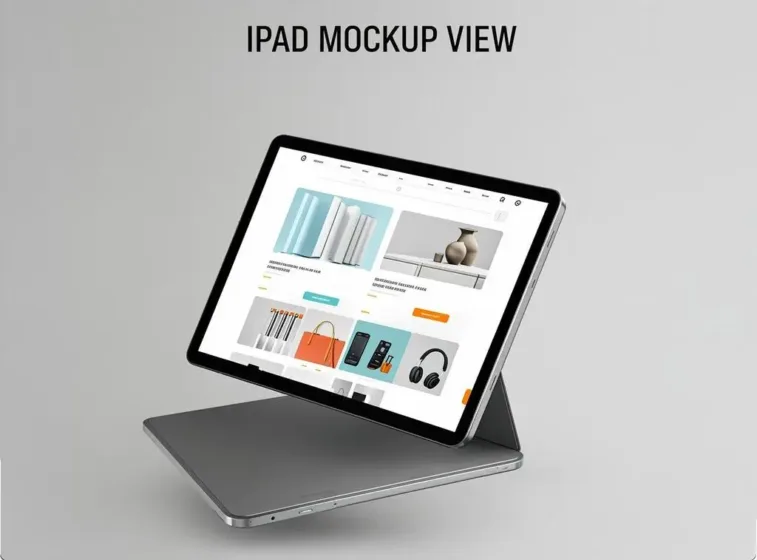
Maximize your eCommerce visuals. Use premium iPad mockups to showcase your app or website in stunning, high-resolution, photorealistic scenes. Boost conversions!
iPad Mockups for eCommerce; You’ve built something great. Your app is smooth, intuitive, and genuinely solves a problem. But here’s the uncomfortable truth: nobody cares yet — because they haven’t seen it properly. iPad Mockups for eCommerce; In the App Store, first impressions don’t just matter, they are the matter. And the single most powerful tool in your visual arsenal? A well-crafted iPad mockup.
Let’s talk about how to use them strategically, not just decoratively.
iPad Mockups – Why Visuals Are the Real Conversion Engine
Most developers obsess over keywords, ratings, and review counts. Those things matter — but your screenshots are doing the heavy lifting. Research consistently shows that App Store visitors make download decisions within seconds of landing on a product page. They’re not reading your description. iPad Mockups for eCommerce; They’re feeling your app through the visuals you present.
A raw screenshot dropped on a white background communicates nothing except “I didn’t try very hard.” A thoughtfully composed iPad mockup, on the other hand, tells a story. It shows context. It whispers: this app belongs in your life.
That’s not decoration — that’s conversion psychology.
The ASO Role of Mockups: More Than Pretty Pictures
App Store Optimization isn’t just about discoverability through search. It’s about what happens after someone finds you. This is where mockups earn their place in your ASO strategy:
- They increase perceived value. Polished visuals signal a polished product. Users unconsciously associate visual quality with app quality.
- They communicate use-case instantly. A mockup showing your productivity app open on an iPad beside a morning coffee setup tells a story no bullet point can.
- They reduce cognitive load. Clean, staged visuals help users quickly understand what the app does — eliminating hesitation at the decision point.
- They reinforce brand identity. Consistent color palettes, styles, and compositions across your screenshots build visual brand recognition.
Think of your App Store page as a micro landing page. Your mockups are the hero images.
Choosing the Right Angle and Style for Your App
Not every mockup serves every app. A financial dashboard app has different visual needs than a children’s drawing tool. Here’s how to think about it:
- Front-facing flat lays work best for apps where the UI is the hero — dashboards, content readers, productivity tools. The screen is front and center, no distractions.
- Perspective and angled views add depth and dimension. They’re great for lifestyle-oriented apps — travel, fitness, creativity — where you want the device to feel in use, not just displayed.
- Multi-device compositions show scalability and sophistication. Pairing an iPad with an iPhone in the same scene subtly communicates that your app has a proper ecosystem.
- Color-styled environments — dark mode, warm neutrals, bold accent backgrounds — should mirror your app’s own aesthetic. If your app is dark and minimal, don’t slap it into a mockup with a bright pastel background. Coherence builds trust.
Real Examples: iPad Mockups in Action
Seeing strategy applied makes it click. iPad Mockups for eCommerce; Here’s how smart developers and designers use iPad mockups to move the needle:
- The Productivity App Story Arc One task-management app redesigned its App Store gallery using a series of perspective-angle iPad mockups placed on a clean desk environment. Each screenshot showed a different feature — task creation, calendar view, collaboration tools — arranged as a visual journey. Downloads increased noticeably after the update, and the team credited the storytelling format of the mockup sequence.
- The Creative App Lifestyle Shot A digital illustration app used warm, ambient-lit iPad mockups to position its product as part of a cozy creative lifestyle. The mockup showed the iPad propped on an easel-style stand, stylus nearby, with the app open on a beautiful drawing. No feature callouts — just pure emotional appeal. Their conversion rate improved significantly.
- The B2B SaaS App on iPad A business analytics platform used sleek, minimal dark-background iPad mockups to communicate enterprise-grade seriousness. The compositions were clean and architectural — exactly the visual language their target audience responds to. It positioned the app as a professional tool, not a consumer toy.
These aren’t coincidences. Intentional mockup design directly shapes perception.
iPad Mockups on ls.graphics: Where Quality Meets Craft
If you’re serious about your App Store visuals, asset quality isn’t optional — it’s everything. The iPad mockup collections on ls.graphics are built with exceptional attention to craft.
The rendering is ultra-realistic. Light, shadow, and screen reflections behave exactly as they should — your UI looks native, not pasted in. Organized, clearly labeled layers make customization fast: swap screens, change backgrounds, toggle shadows in minutes.
The angle variety is impressive — flat lays, perspective shots, three-quarter views, lifestyle compositions — all visually consistent within the same collection. Multiple color styles, both light and dark, let you match any brand aesthetic without fighting the template.
What truly sets ls.graphics apart is the overall design sensibility: stylish, minimal, never overdone. These compositions feel intentional and considered.
For teams running A/B tests or managing multiple app variants, this efficiency is invaluable. Premium quality that genuinely delivers.
Building a Mockup-Driven ASO Workflow
Here’s how to systematically integrate mockups into your ASO process:
- Audit your current screenshots — do they tell a story, or just show features?
- Define your app’s emotional positioning — lifestyle tool, professional utility, creative companion?
- Select mockup styles that match the emotional language of your brand.
- Sequence your screenshots so they build understanding progressively.
- A/B test compositions using App Store Connect experiments.
- Iterate based on conversion data, not gut feeling.
Mockups aren’t a one-time design task. They’re a living part of your optimization strategy.
Conclusion
The App Store is loud, crowded, and unforgiving to apps that don’t show up visually. An iPad mockup isn’t a cosmetic upgrade — it’s a strategic communication tool that shapes how users perceive your app before they ever tap download. Used thoughtfully, mockups carry your app’s personality, clarify its value, and eliminate hesitation at the most critical moment in the user journey.
For developers and designers who want to compete seriously, investing in premium mockup resources makes practical sense. The collections at ls.graphics represent exactly the kind of high-quality, versatile foundation that turns a good App Store page into a great one. Your app deserves visuals that work as hard as the product itself.